
A good animated email signature looks like a small, calm picture of your work: one photo, one short line, a button, then the next photo. It runs for several seconds, changes only a few times, and still makes sense if it never moves. Here are six examples and what each one gets right.
These companies are made up. We wrote the words and generated the pictures to show the range, and the cards were drawn by DocsAura's signature engine. Each is a 480 × 160 pixel GIF that loops every 12 seconds. They carry the "Made with DocsAura" mark that free cards have.
Show the finished work
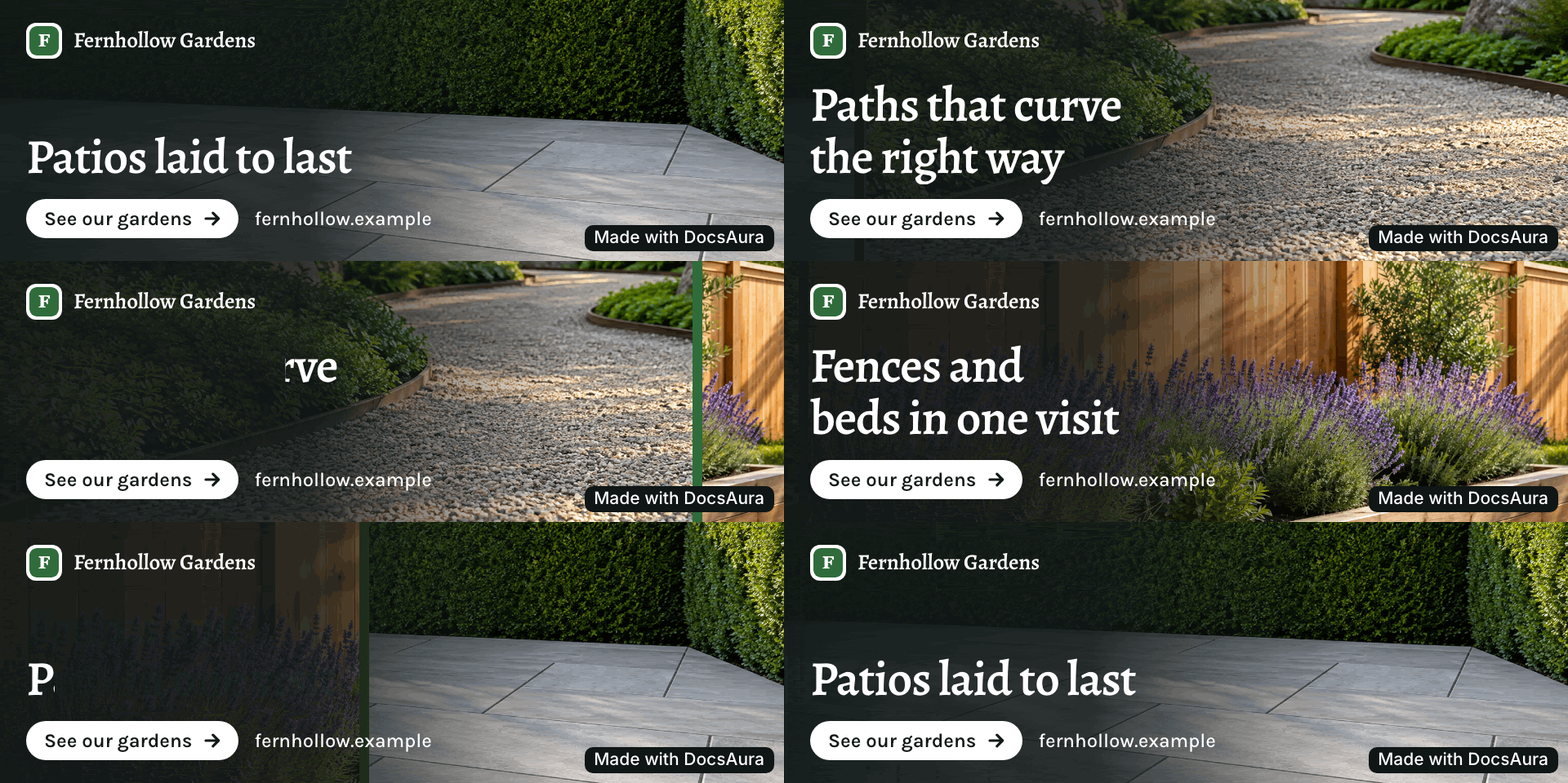
Fernhollow Gardens, a landscaper. The photo fills the whole card and the words sit on it. That works when your work photographs well, which is why it suits trades like this. Each line names something you could buy: a patio, a path, a fence. "Patios laid to last" says more than "Transforming outdoor spaces" would.
Say something only you could say
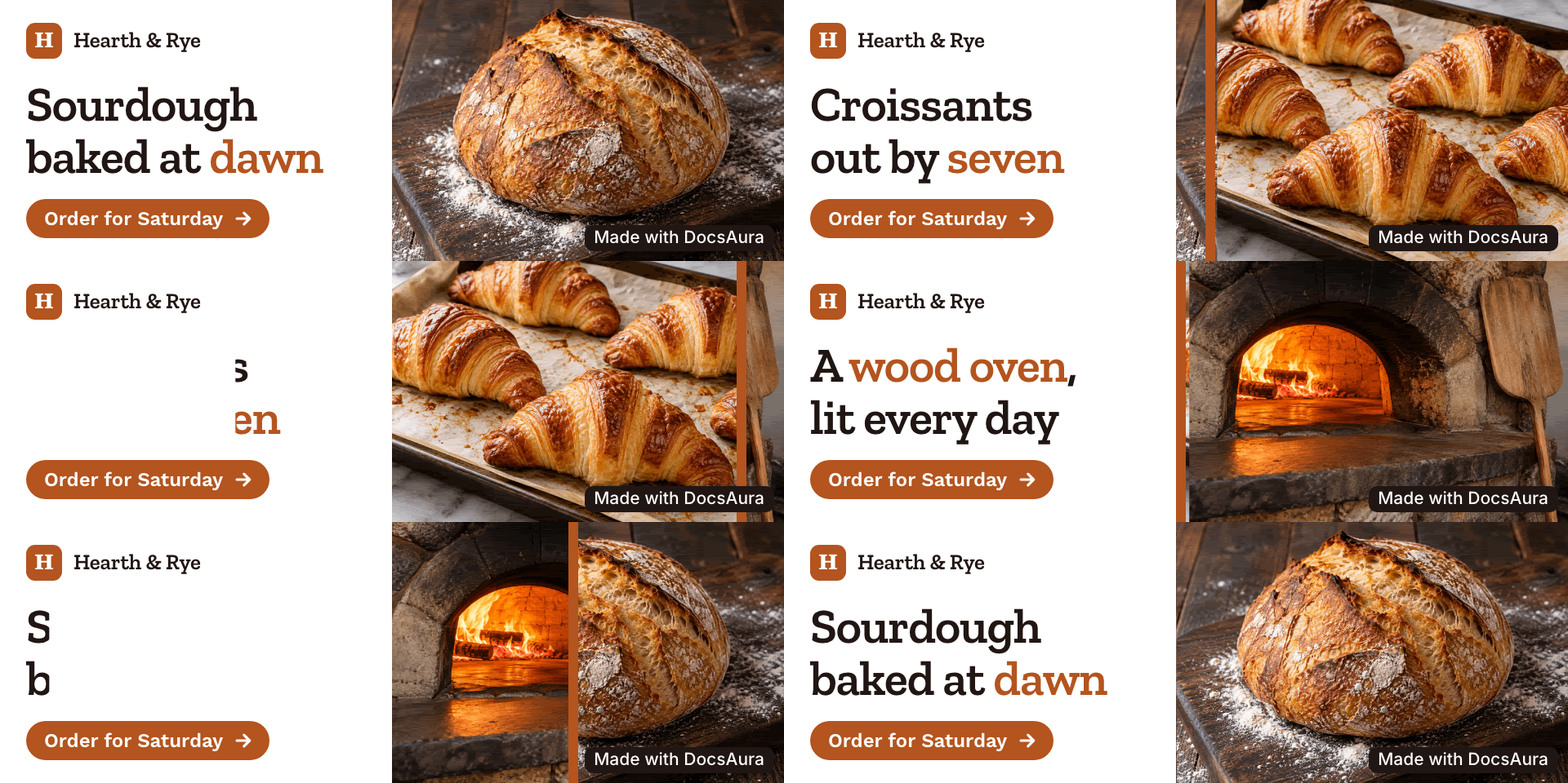
Hearth & Rye, a bakery. "Sourdough baked at dawn" is a small fact, and that's its strength. A specific detail is what a reader remembers, and it's hard for a competitor to copy unless it's also true for them. The button has a job too: "Order for Saturday" is more useful than "Learn more".
Calm suits some businesses better
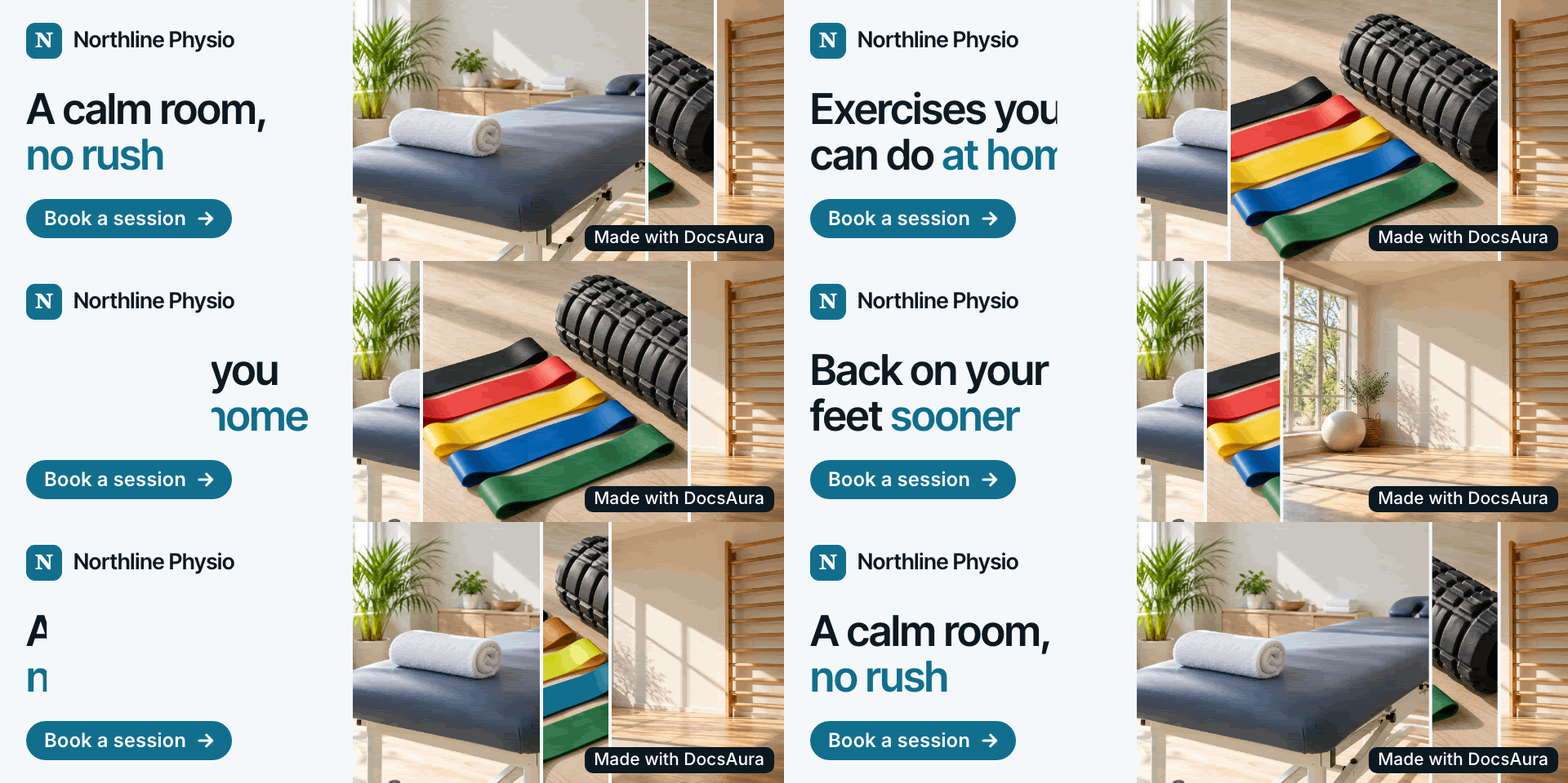
Northline Physio, a clinic. Here the pictures slide in as narrow panels, with pale colours and soft light. A health business doesn't want anything flashing under an email about someone's back pain. Match the speed and the colour to how you want a client to feel when they read your message.
Let your brand colour do the work
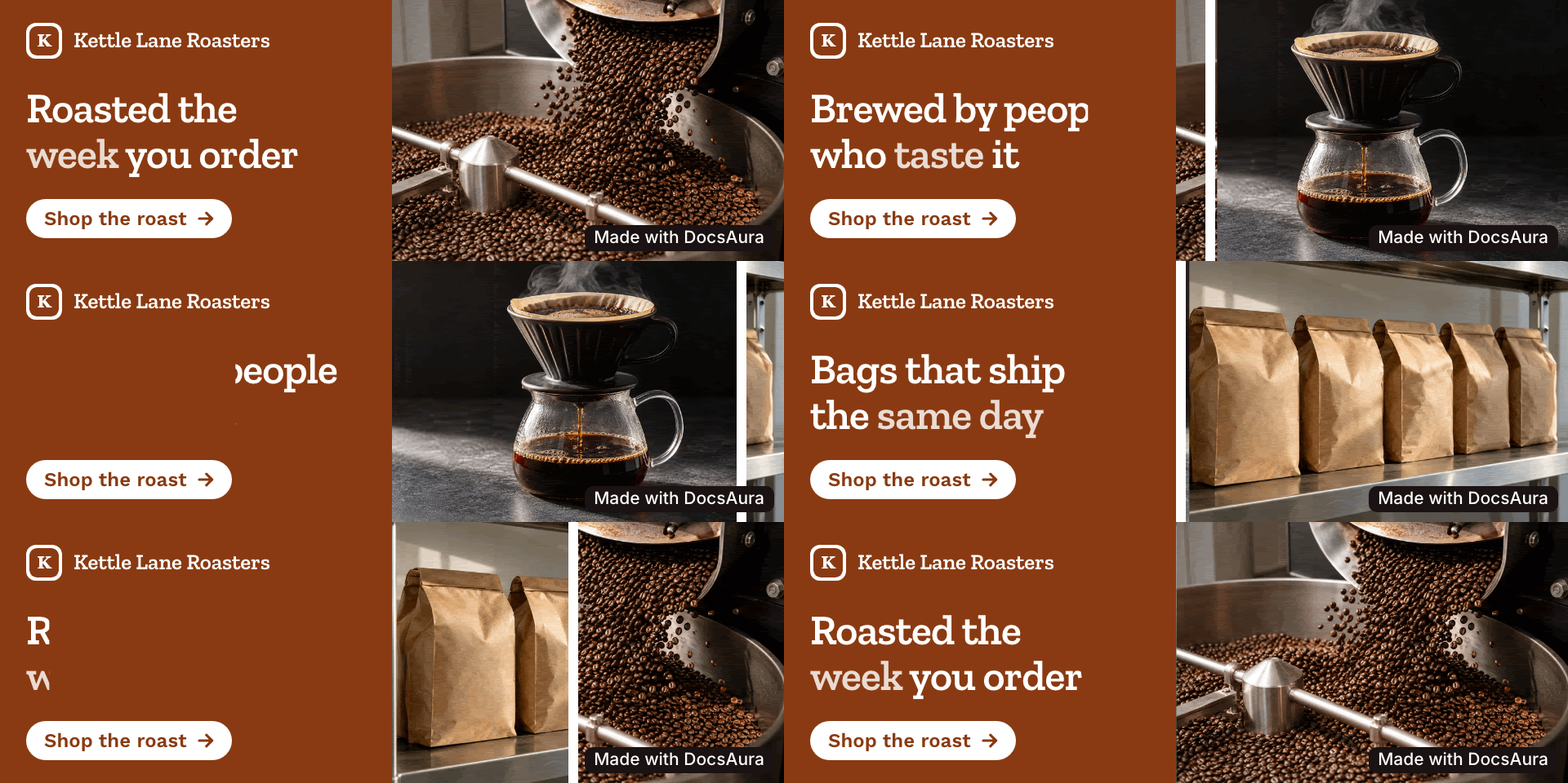
Kettle Lane Roasters, a coffee roaster. A solid panel in the brand colour makes this recognisable before anyone reads it. If you send many emails to the same people, that recognition builds up. It's also the easiest layout to keep readable, since the words never sit on a busy photo.
Software doesn't need screenshots
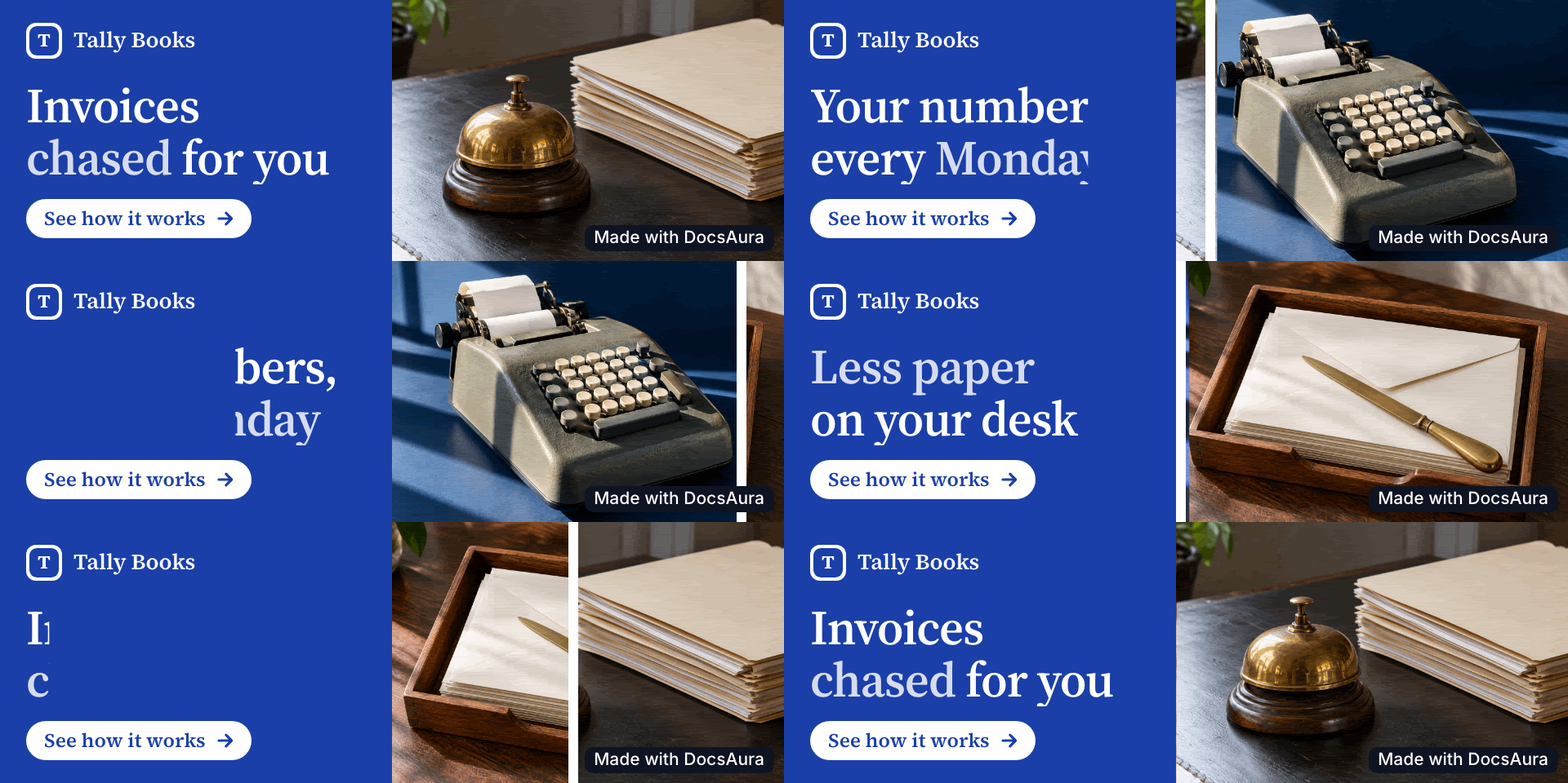
Tally Books, an accounting service. A dashboard screenshot is unreadable at this size, so this card photographs the job instead: folders, an adding machine, envelopes. "Invoices chased for you" tells you the benefit in four words, with no product name or feature list.
Write in your clients' language

Studio Wrzos, an interior designer in Poland. The card speaks Polish because the clients do. If your website is in one language and your emails are in another, write the card in the one your readers use, and check that the typeface has every accented letter. This one needed a typeface change during design, because the first choice looked uneven at this size.
What these have in common
One idea per moment
Each frame holds a single line of about 25 characters, because a signature gets a glance and little more.
A first frame that stands alone
Some Outlook versions show only the first frame. Every example here opens on a finished picture with its message, not a fade from nothing.
Real text below the image
The card is a picture, so your name, title and phone should sit under it as text. People can select and tap them, and they still appear when someone has images turned off.
Only true claims
A signature goes to every client you have. A number or a promise that isn't on your website will eventually reach someone who knows better. When we tested our writing step on a real landscaper's site, it wrote "Book a free visit", and the word "free" wasn't on the site's homepage. A small invented offer like that can cost you an awkward phone call, so we now check promises in code as well as numbers.
A small file
These six range from 337 to 673 KB. Litmus suggests under 1 MB for GIFs in email, mainly so they load quickly on a phone.
What makes one look like an ad
The same format goes wrong quickly. Watch for these:
- Too much movement. Constant motion next to someone's reading pulls their eye away from your message. Long still moments with short changes between them feel much calmer.
- Labels above the headline. Small capitals saying "OUR SERVICES" add nothing at this size.
- Generic lines. "Quality you can trust" could belong to anyone. If you could swap in a competitor's name and it still works, write it again.
- Words inside the photos. A photo with text in it, cropped to a small card, turns into fragments of nonsense.
- Discount banners. A signature sits under every email, including apologies and invoices. A sale banner under "sorry about the delay" reads badly.
- Too large a size. Google states a maximum of 100 pixels high for signature images. Plenty of cards go over it, ours included at 160, and we're still testing what that means in practice. Check your own in a test email.
Is an animated signature professional?
It can be, and this comes down to the business and the design. A calm card with a real photo and a plain line reads as considered, where a bouncing logo reads as an ad. We don't have data on whether animated signatures win more replies, and we didn't find an independent study that does, so try one for a few weeks and ask a client or two what they noticed. If you're a law firm writing to people in difficult situations, a plain signature may simply be the better call.
Try it on your own business
Your website already holds the words and pictures a card needs. DocsAura's signature page is taking early-access sign-ups, and our comparison of generators covers the tools you can use today. When you have a GIF, our setup guide walks through each mail app.
Turn voice notes and screenshots into beautiful documents.
Status updates, proposals, case studies, SOPs — generated in minutes, not hours.
Try DocsAura Free